
MY CT教學
MyCT(My Chinese tutor)
In order to help students overcome these difficulties, MyCT specifically aimed at giving the student ample opportunity to practice both his listening and speaking skill sets. The student, in a time and place of his own choosing, will listen to, and copy spoken Chinese in its most “local” usage, but most “proper” pronunciation.
Yet MyCT is much more than just an online software allowing the student to speak and listen to Chinese. Using a unique and award-winning technology, MyCT analyzes the student's Chinese speech according to pronunciation, pitch, timing and emphasis, and pinpoints problems down to individual sounds. After the student speaks, he receives a score and specific feedback on how to improve.
How to Setup & Login MyCT
- MyCT User Guide
- Download soft and install.
- Set up the headset and microphone
Before installing MyCT software, please verify if your audio equipment is set up properly. Usually, the jar connector is in the back of a desktop computer, and is on the sides of a notebook. The green jack connector labeled “Audio Out” should be connected to the headset, whereas the red jack connector labeled “Mic In” should be connected to the microphone. Please consult your computer manual to confirm the exact position of your jack connector. - Choose the Sever
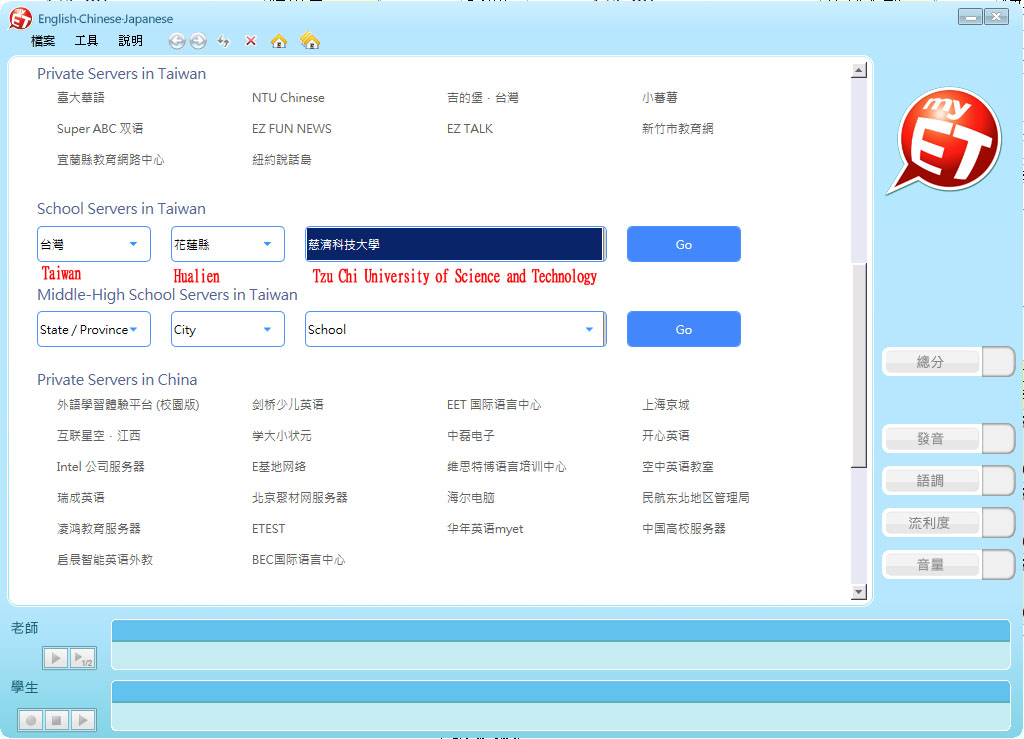
- Apply for the Authorization from your Chinese teachers or go to Language Center for more information.